Conscious Log User Guide
Search 15 documented sections covering capture, AI, organization, collaboration, routing, troubleshooting, and administration.
GUIDES AND PRODUCT STORIES
Explore the operating loop, real interface screens, integration stories, and the product boundaries that keep claims honest.
The original stays intact. AI proposes. You decide.
WHAT THIS MEANS IN PRACTICE
Search 15 documented sections covering capture, AI, organization, collaboration, routing, troubleshooting, and administration.
See why useful fragments disappear during busy moments and how a staging layer changes the workflow.
Watch capture move through preservation, preparation, human review, and an approved LifeTilo destination.
Review privacy defaults, provenance, approval points, access controls, and product-status language.
REAL PRODUCT SCREENS
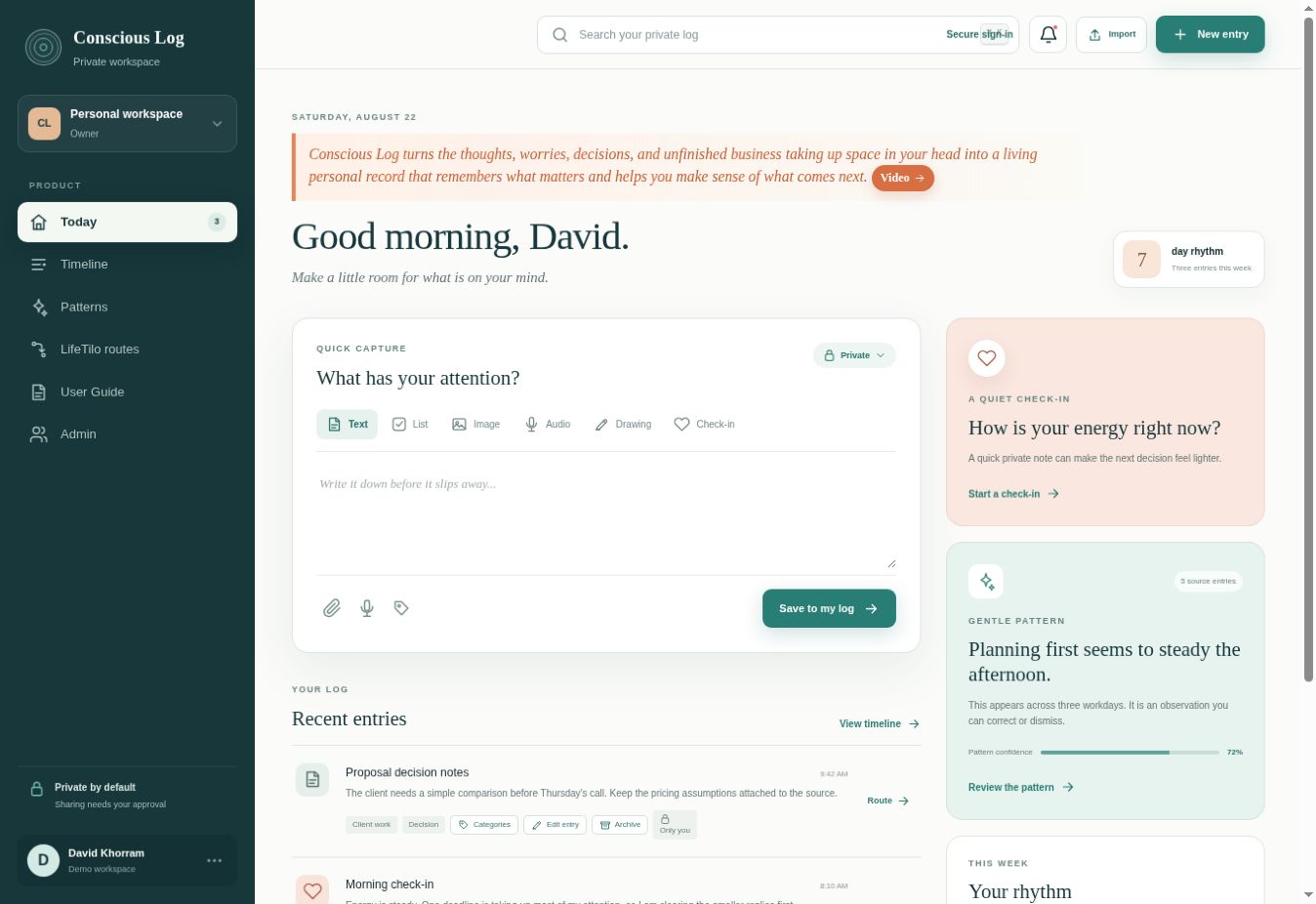
The Today workspace brings the six capture modes, recent entries, a private check-in, and weekly insights into one starting point.
Open the complete User Guide ↗
MOVE THE RIGHT THING FORWARD
See what Conscious Log could do with the way information reaches you today.